Procure to pay software for the invoice side
TriFact365 is procure to pay software that automates the invoice side of your purchasing process: incoming invoices are read down to line level, routed for approval and prepared as a booking proposal for your accounting software. Ordering and the payment run stay with your existing systems, and we say so upfront rather than promising a suite we do not build.
Link with all leading accounting software

What is procure to pay?
Procure to pay (P2P), also called purchase to pay, is the chain from ordering to payment: raising a purchase order, receiving the goods, handling the invoice and paying the supplier. Procure to pay software automates steps in that chain.
Not quite what you need? TriFact365 optimises your entire pre-accounting, up to and including the journal entries in your accounting software: within this chain that is the invoice side, so ordering and the payment run stay with your purchasing or banking system. For reading the invoice data there is a separate page, and approval before payment is arranged with approval routes.
How does procure to pay software work in practice?
The chain runs in five steps: ordering, the invoice arriving, coding, approval and payment. The first and the last stay with your own systems. Below you can read which part TriFact365 takes over and where the handover sits.
1. Ordering happens in your own systems
The purchase order and the goods receipt stay where they are today, in your purchasing module or ERP. TriFact365 does not raise orders and does not match invoices against them, so this step is outside our part of the chain.
2. The invoice arrives
The supplier invoice comes in through your invoice mailbox, an upload in the portal or as an e-invoice over Peppol. Whatever the channel, everything lands in the same work queue, which is where our part of the chain begins.
3. Coding
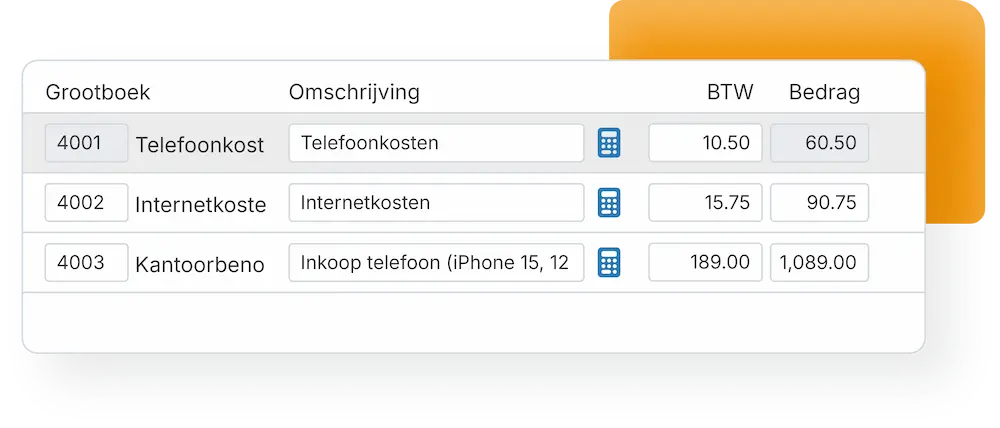
The invoice is read down to line level and a booking proposal is built: a ledger account, a VAT code and a cost centre per line, with the supplier details from your administration. Several VAT rates or cost centres on one invoice stay separate instead of being lumped together.
4. Approval
The invoice travels the route you configured, by amount, cost centre or supplier. The approver sees the proposal with the document next to it and signs off, and every step is recorded in the audit trail.
5. Payment stays with your own system
After your visual final check the journal entry moves into your accounting or ERP software, with the original document attached. The payment run itself happens there. Where your package supports it, the invoice can be booked blocked for payment and released once the route is complete.
Recognition inside your procure to pay software
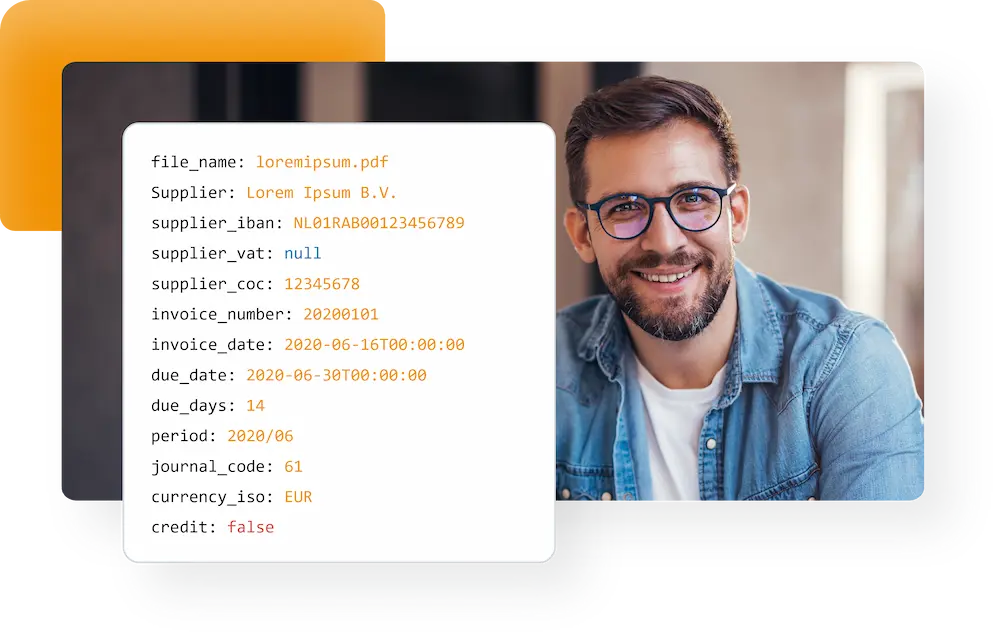
The moment an invoice arrives, the data is read automatically. Retyping disappears, and so does the queue: recognition runs in real time, also when a month of invoices lands in one afternoon.
- Real-time recognition within seconds of arrival
- Line-level recognition, with ledger accounts and VAT codes
- Purchase invoices, receipts and sales invoices in one flow
Read more about how invoices are read.
Approve and book in one flow
After recognition each invoice follows the approval route you configured, by amount, cost centre or supplier. Once it is approved the entry is placed in your administration, with the document attached, so the trail from order to payment stays complete.
- Approval routes per amount, cost centre or supplier
- Grip on who approves what, without chasing
- Every entry traceable in the archive and audit trail
Configure the routing in approval routes, and keep the originals in audit-proof storage.
Fits the systems you already run
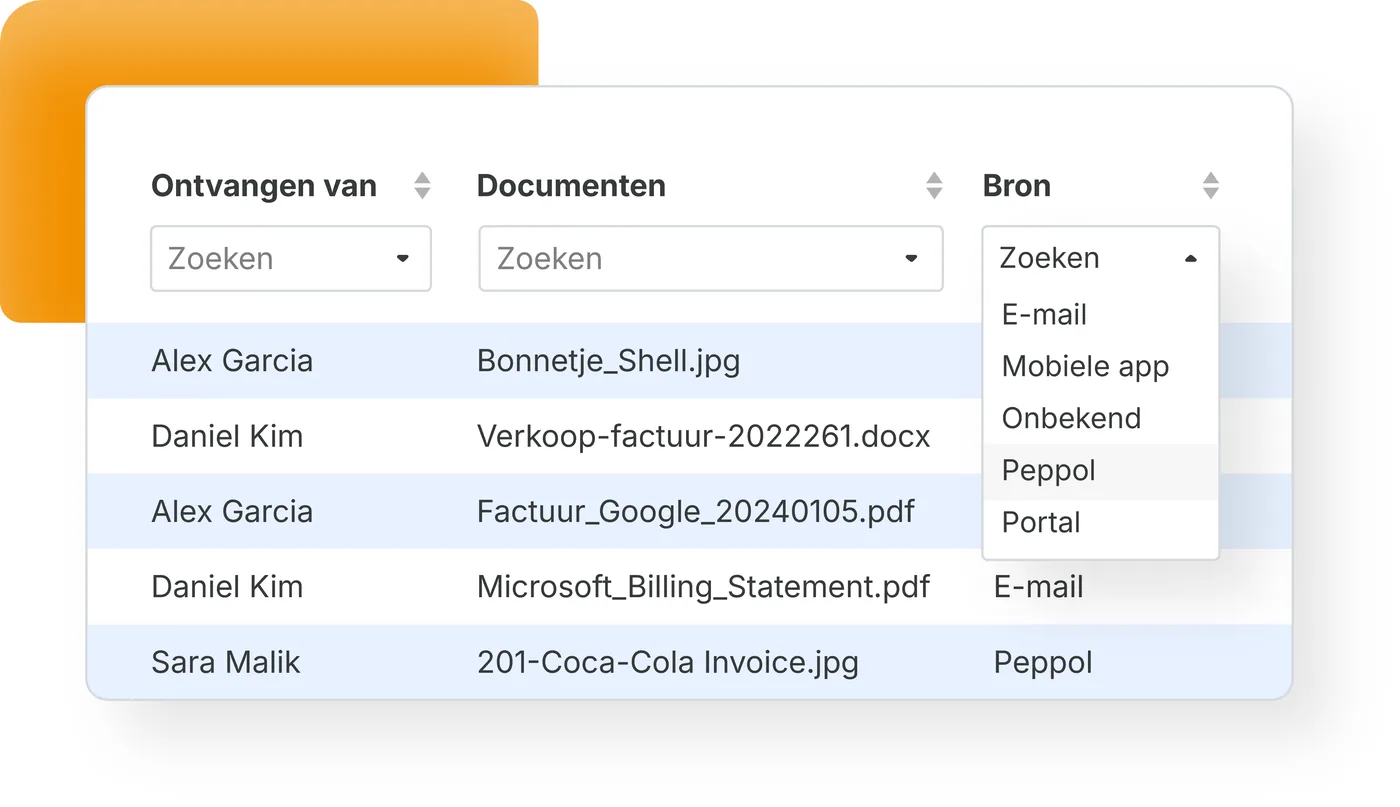
Because TriFact365 covers one step rather than the whole chain, it has to fit what you already use. There are integrations with the leading accounting and ERP packages, and e-invoices arrive through the Peppol network. Therefore you add automation to your purchasing process without replacing the systems around it.
- Every entry delivered in the same uniform way
- E-invoices received over Peppol, PDFs scanned as usual
- Scales from a one-person business to a group of entities
See which software connects to your bookkeeping, or read how e-invoices arrive over the network. Setup steps are in our help centre.
Questions about procure to pay
No, and that is worth being clear about. TriFact365 automates the invoice side: recognising, approving, preparing the entry and archiving. Purchase orders, goods receipt and the payment run stay with your accounting or ERP system, which TriFact365 connects to.
They describe the same chain from ordering to payment, with procure to pay putting slightly more emphasis on the purchasing side. In practice the terms overlap, and both cover the invoice step that TriFact365 automates.
Your ERP records the entry; TriFact365 does the work before it. Invoices are read down to line level, matched to ledger accounts and VAT codes and routed for approval, so the module receives a checked booking proposal instead of a document to type over.
No. Three-way matching against purchase orders and goods receipts stays in your ERP or purchasing module. TriFact365 reads the invoice, proposes the ledger account and VAT code per line and routes it for approval, and where your package supports it the invoice can be released for payment once that route is complete.
TriFact365 needs a connection to accounting or ERP software to work, and there are integrations with the leading packages. E-invoices are received over the Peppol network, while PDF invoices go through the same recognition flow.
Yes. Data is encrypted and processed under the GDPR in a secured cloud environment, and every document is stored in a searchable archive with an audit trail per action.
Within fifteen minutes. You connect your accounting or ERP software, point your invoice mailbox at TriFact365 and set the approval route. No installation and no consultants are needed, and you can try it free for 30 days.
See more solutions
Accounting robot
Your own accounting robot. Never retype invoices and receipts again.
Workflows
Create authorization flows for approving invoices.
Digital archive
Always have access to documents. Complete with history and audit trail.