Sometimes receipts are big in the news because of receipts affair. The question is whether these receipts have been legitimate declarations and soon, rightly or wrongly, the finger is pointed and you have to provide evidence as a suspect. Well… and then you also have all those little crumpled receipts, which sometimes get lost, what a hassle. As an entrepreneur, manager, accountant or other kind of specialist, do you regularly come into contact with receipts and are you looking for a smart solution? Then this article about scanning receipts is for you!
Why do you scan receipts?
Receipts are a means of proof that the expenses you have made are actually business expenses. This is necessary for accountability to various stakeholders. In the example of the receipts affair in politics, this may be a parliament that monitors the expenditure of a minister. It can also be, for example, the tax authorities that control the expenses of a company. In the latter case, the tax authorities require most companies to be able to provide access to their financial records with all underlying accounting documents up to 7 years ago. And receipts, like invoices, also fall under this, which is why you digitize receipts as evidence.
Paper receipts lead to annoyances!
Make no mistake, in quite a few organizations, paper receipts are still really collected. All employees periodically submit them to the accounting department, after which the administrator or controller processes them and forms an opinion on the accuracy of the submitted receipts. During this process, receipts can easily get lost due to illegibility. Everyone recognizes those crumpled gasoline receipts in their wallets. Also, paper receipts are often used to justify the costs, even though the costs have been made in a businesslike manner. A burden for which there is now a solution for every organization. Fortunately, with your phone it is possible to improve the receipt process from A to Z.
Choose a receipts app
Select a good app on the Internet. These days there are (free) apps available that make it easy to take photos of paper receipts. Ideally, you should take a picture immediately upon receiving the receipt, then process it digitally. With smart digitization, you’ll never lose paper receipts again. For receipts that still come in on paper, the finance department optionally uses a scanner that converts the paper receipts into digital booking documents. But this is actually a suboptimal process. A receipt app on your phone works the fastest and leads to the fewest errors in practice.
So how does the receipt get into the accounting system?
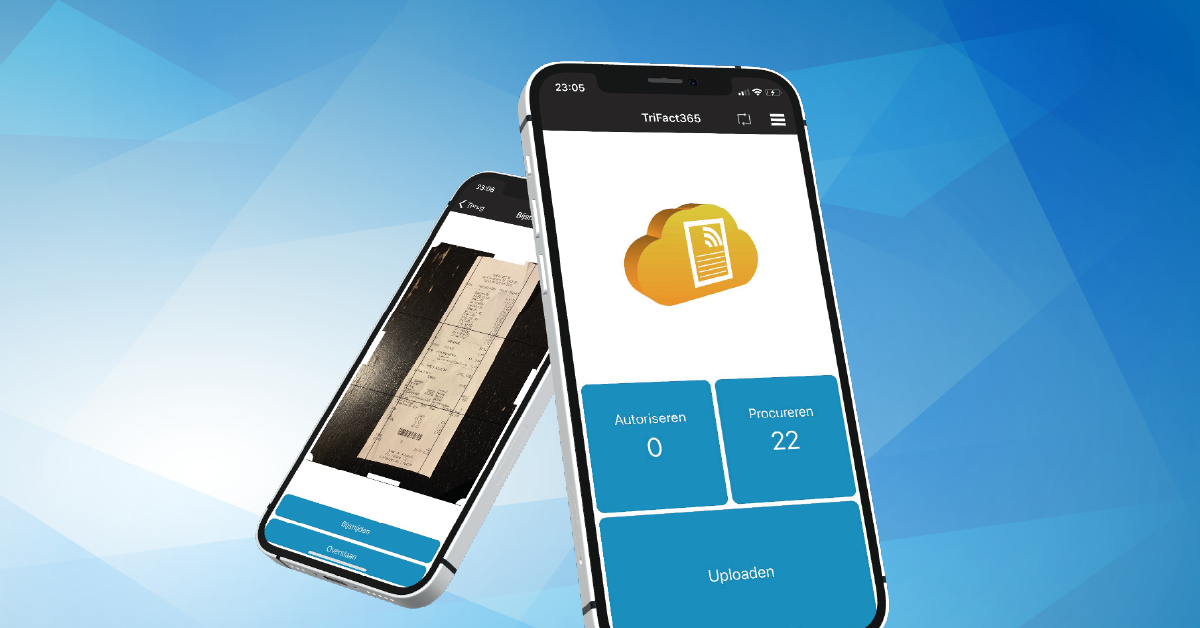
Sending a receipt to a digital mailbox in an accounting package is a solution in some cases. The bookkeeper or controller checks whether the receipt is correct and makes a manual journal entry. The receipt is then also linked to this entry. But… this is not the fastest or best method. The TriFact365 mobile app allows you to process all receipts and invoices directly from the smartphone into a ready-made journal entry in your accounting package. The process is thus automated even further and is therefore more robust and faster!
So how does an executive approve the receipts?
With the TriFact365 app you can optionally approve all receipts. You can create authorisation flows online for multiple budget holders, we call these authorisation or procuration schemes. The approval of receipts can take place immediately after scanning or after an entry has been made in the administration. This is very convenient, because not all organizations work the same way.
Push notifications and email reminders
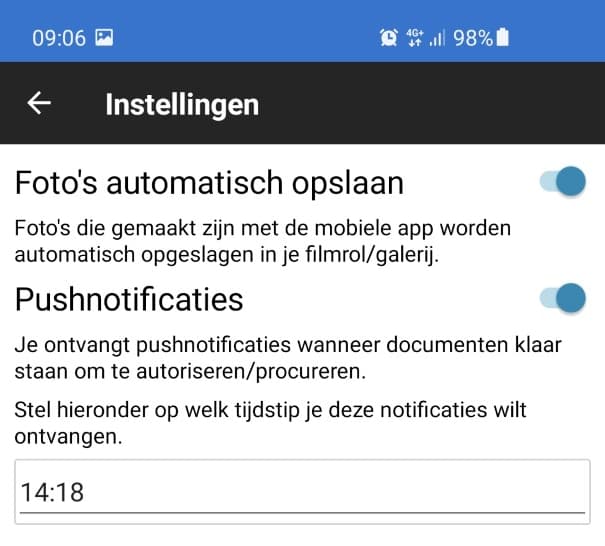
TriFact365 also contains automatic push notifications and email reminders for the manager. These can be set to the frequency that you think the budget holder should be reminded. Of course you can also determine the content of this email yourself and also send additional reminders automatically. View all invoice authorization features here.
What do accountants and controllers gain from this?
The TriFact365 app gives you more control over the entire claims process. Bookkeepers and controllers can easily set up the processes themselves, which ensures efficiency. Your organization has 24/7 insight into the delivery and processing of receipts and you know exactly who did what. Your accountant saves time because he never has to collect receipts again and, as icing on the cake, he also receives an automatic journal entry.
Conclusion on receipt scanning
Paper crumpled receipts are out of date. Switch to digital processing of receipts, which saves your organization time and increases the quality of processes. Streamline your organization with the TriFact365 app.