The invoice scanning software that reads every line
TriFact365 is invoice scanning software that turns a scanned or uploaded invoice into a complete booking proposal. AI reads the supplier, the amounts and the VAT down to line level, so nobody has to retype a thing. Scanning is where the pre-accounting stage begins, so your bookkeeping stays current and your team keeps its time for work that matters.

Link with all leading accounting software
What is invoice scanning software?
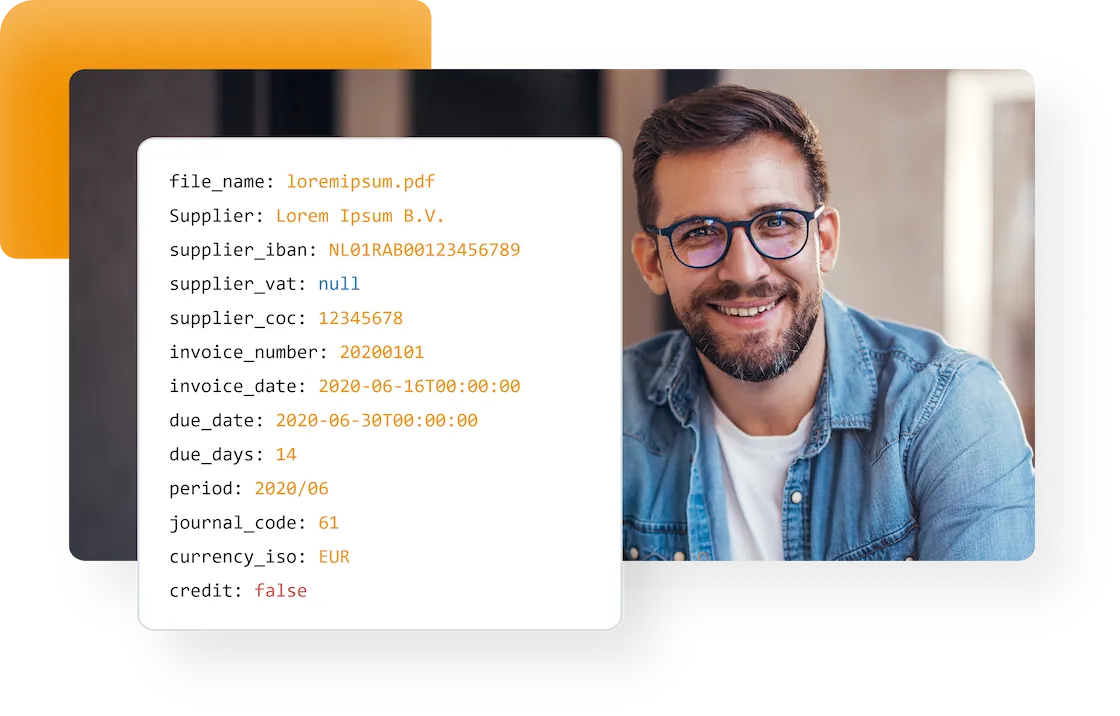
Invoice scanning software reads the data on a scanned, photographed or uploaded document and converts it into a booking proposal. OCR handles the characters, while self-learning AI decides which value belongs in which field: supplier, invoice number, amounts, VAT codes and individual invoice lines.
Not quite what you need? TriFact365 optimises your entire pre-accounting, up to and including the journal entries in your accounting software: whether you scan purchase invoices, receipts or a full set of client records, the proposal reaches your accounting software only after your visual final check. If you want to know exactly what the AI takes from an invoice, look at recognising invoice data. And for payslips, bank statements or contracts there is one portal for every document type.
How does invoice scanning software work in practice?
Scanning an invoice runs in four steps: delivery, reading, checking and booking. The software handles the first two, while you keep the decision in the last two. Below you can read what happens at each step, including what happens to the exceptions.
1. Delivery
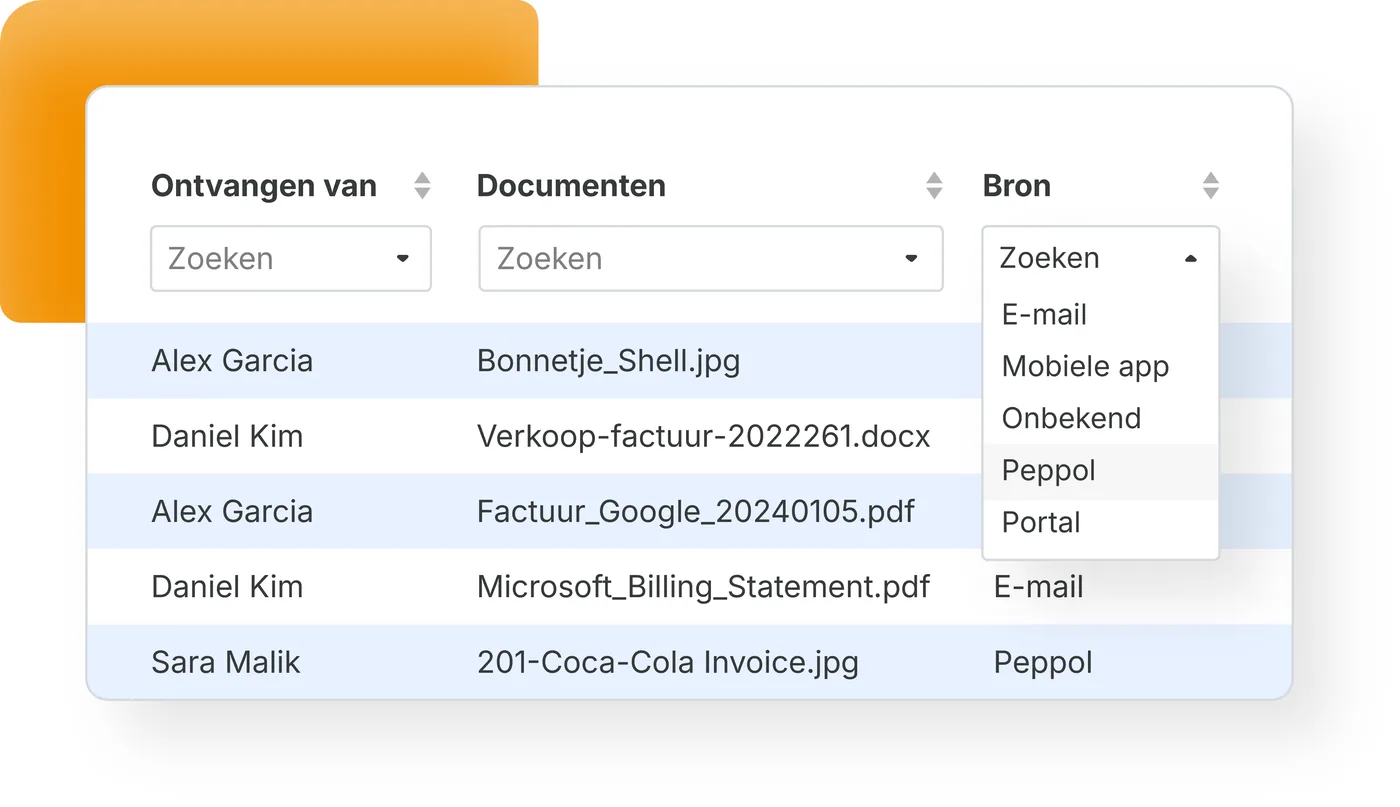
You submit documents through your own invoice mailbox, an upload in the portal, a photo from the mobile app or as an e-invoice through Peppol. Whatever the channel, everything lands in the same work queue. E-invoices are the exception to scanning: they already arrive as structured data, so nothing has to be read from an image.
2. Reading
OCR turns the image into characters, after which our own language models decide which value belongs in which field, down to invoice line level. The engine learns per supplier, so the second invoice from the same sender needs less attention than the first. Handwriting and poor photos stay the exception: those fields you complete yourself.
3. Checking
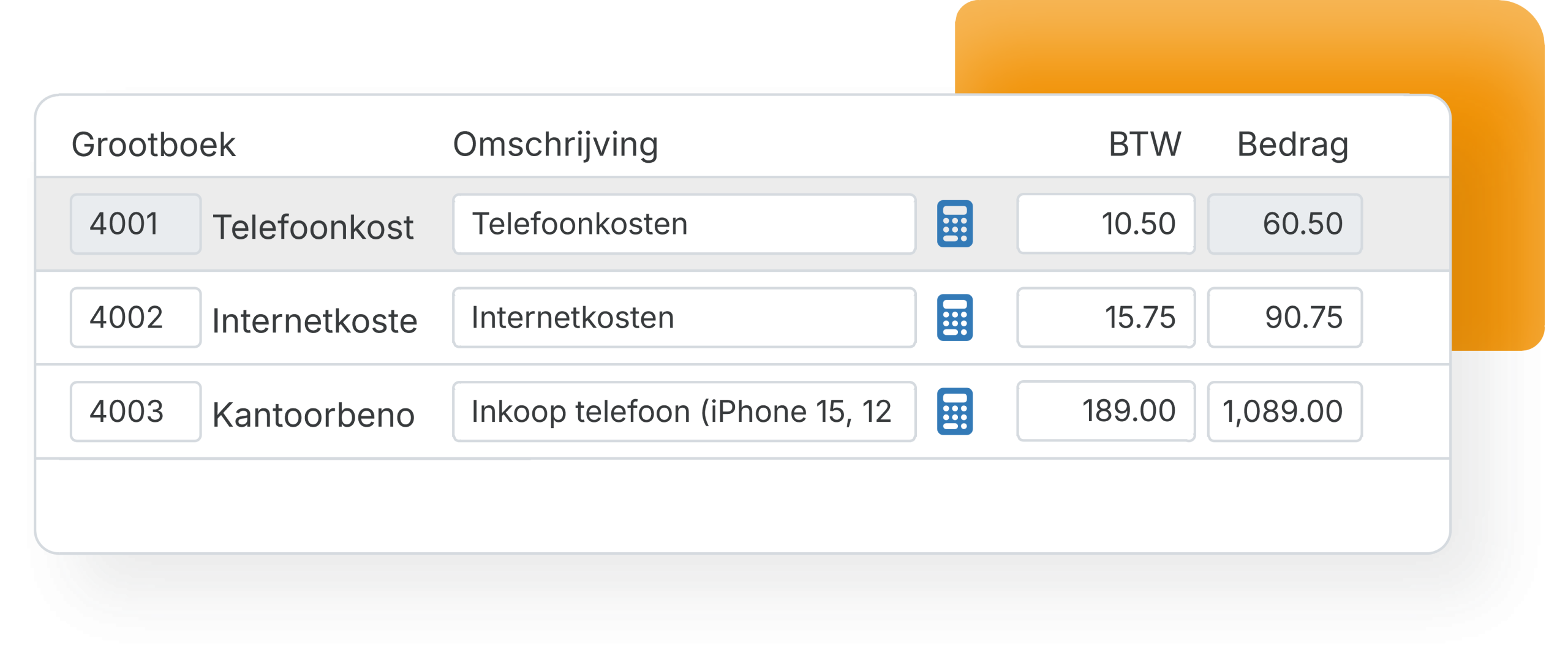
The recognised data appears next to the document as a booking proposal, with a ledger account, VAT code and cost centre per line. Duplicate invoices and deviating IBANs are flagged, so you notice them before payment instead of afterwards.
4. Booking
After your visual final check the journal entry moves through the integration into your accounting software, with the original document attached and searchable next to the entry. From there your accounting software takes over: reporting, the VAT return and payment.
No more repetitive typing
Scanning software earns its keep on the invoices nobody enjoys: multi-line, multi-VAT, twenty items long. Because recognition runs at line level, those are exactly the ones where you save the most time.
- Automatic recognition of supplier, amounts and dates
- Line-level recognition, including VAT codes
- A ready booking proposal within seconds
Want to see where scanning fits in the bigger picture? Read about the full processing flow.
Scan into the records you already keep
TriFact365 does not replace your bookkeeping; it feeds it. You connect one or more administrations, and each keeps its own ledger accounts, VAT settings and suppliers. For accountancy firms that means one uniform way of working across every client, whichever accounting software the client uses.
- Several accounting software integrations side by side, on one subscription
- Client records synchronised, not duplicated
- One working method for the whole practice
See which accounting software connects to TriFact365, or check the setup guides in our help centre.
Recognition that keeps getting sharper
Every correction teaches the engine something. Because it learns per supplier and per administration, the second invoice from a supplier already needs less attention than the first. Meanwhile every document arrives through the channel your colleagues prefer, and each step stays visible in one audit trail.
- Self-learning per supplier and administration
- Email, mobile app, upload and Peppol in one flow
- New releases every week, based on user feedback
Colleagues can photograph receipts on the go, every other document type lands in one intake point, and you can add approval routes where a second pair of eyes is needed.
Questions about invoice scanning
TriFact365 picks up where the built-in scanning of your accounting software stops: recognition down to line level, delivery through email, app, upload and Peppol, and approval routes on top. Every step is captured in one audit trail, which means fewer suspense postings and fewer questions at period close. As an official partner of Exact, AFAS, Visma and Twinfield we handle tens of thousands of administrations this way.
Header data and order lines are extracted together, including VAT codes per line. The engine learns per supplier, so accuracy improves with every invoice you process. You always see which fields were recognised before you approve.
Yes. Sales invoices are imported into your accounting software the same way, and receipts are usually photographed with the mobile app. The processing route is identical to that of purchase invoices.
Yes. One subscription covers multiple administrations, which suits a holding with a few operating companies just as well as a firm with dozens of clients. Every administration keeps its own ledger accounts, VAT settings and suppliers, while you scan and approve everything from one place.
Multiple accounting software integrations on one subscription. Invoices for a client on Exact Online and a client on AFAS follow the same uniform process, so your staff learns one way of working instead of one per package. That saves time per administration and keeps the quality of the bookkeeping consistent across every client.
Yes. TriFact365 processes your documents under the GDPR and over secured connections. Scanned invoices stay searchable in a digital archive with an audit trail, so every action on a document remains traceable afterwards.
UBL and Peppol invoices already carry structured data, so nothing has to be read from the image. The recognition that matters still happens: TriFact365 maps the invoice lines to the right ledger accounts and VAT codes and splits the sub-amounts, so the booking proposal is complete. The PDF stays attached as the readable document, which keeps your archive uniform.
See more solutions
Accounting robot
Your own accounting robot. Never retype invoices and receipts again.
Workflows
Create authorization flows for approving invoices.
Digital archive
Always have access to documents. Complete with history and audit trail.