Expense management: from receipt to journal entry in your accounting software
With the expense management software from TriFact365 your colleagues submit expense claims and receipts digitally. Each claim arrives as a booking proposal with the ledger account and VAT code filled in, and after your approval it lands in your accounting software as a journal entry, with the receipt attached as evidence. A payroll system settles claims on the payslip; TriFact365 handles the accounting side.

Link with all leading accounting software





What is expense management?
Expense management is the process around costs that employees pay out of their own pocket: submitting the receipt, reading and checking the claim, approving it and booking it in the administration. One digital route replaces paper receipts and loose e-mails.
Not quite what you need? TriFact365 optimises your entire pre-accounting, up to and including the journal entries in your accounting software. This page covers costs an employee has paid up front. Invoices that a supplier sends to your organisation directly follow another route: see the processing of purchase invoices. Mileage registration, corporate cards and policy checks belong with your HR or payroll system. If you want to know how the reading itself works, look at scanning and recognition.
How does expense management work with your accounting software?
Three parties are involved in an expense claim: the employee who pays up front, the manager who approves and the finance team that books it. TriFact365 puts those three on one timeline per claim and ends at the journal entry in your accounting software.
1. The employee submits
Your colleague photographs the receipt with the app and submits the claim, also away from the office. In the standard setup every employee is set up as a creditor in your accounting software, so the claim is attached to the right person.
2. Recognition turns it into an entry
The date, the amount and the VAT are read and a ledger account is proposed. If a claim covers several cost types, you split it across several ledger accounts. Working with projects, cost centres or cost units, you book on those as well. Which fields you see and what they are called comes from the connected accounting software.
3. The manager approves
Every approval lands in the same audit trail as the claim itself. During an audit you can therefore see who approved what and when, with the receipt as the supporting document.
4. Finance books it in the accounting software
After your approval the journal entry moves through the integration into your accounting software. The claim lands there as a cost entry on the creditor, with the supporting document attached to it.
5. Payment runs through accounts payable
Because the employee is set up as a creditor, you pay the claim from your accounting software, just like a supplier invoice. The payment itself happens there. TriFact365 delivers the entry and the supporting document.
Expense claim software or your payroll system?
Both routes exist and they answer different questions. Through a payroll system the amount appears on the next payslip, so the employee sees the reimbursement alongside the salary. Expense claim software books the claim through the accounts payable of your accounting software, which separates the payment from the payroll run and puts the costs on the right ledger account and cost centre straight away.
Have no payroll package, then the second route is the practical choice. Do you have one, then the question is where you want the cost to appear first: in the salary administration or in your books. TriFact365 serves the second answer and stays out of the first.
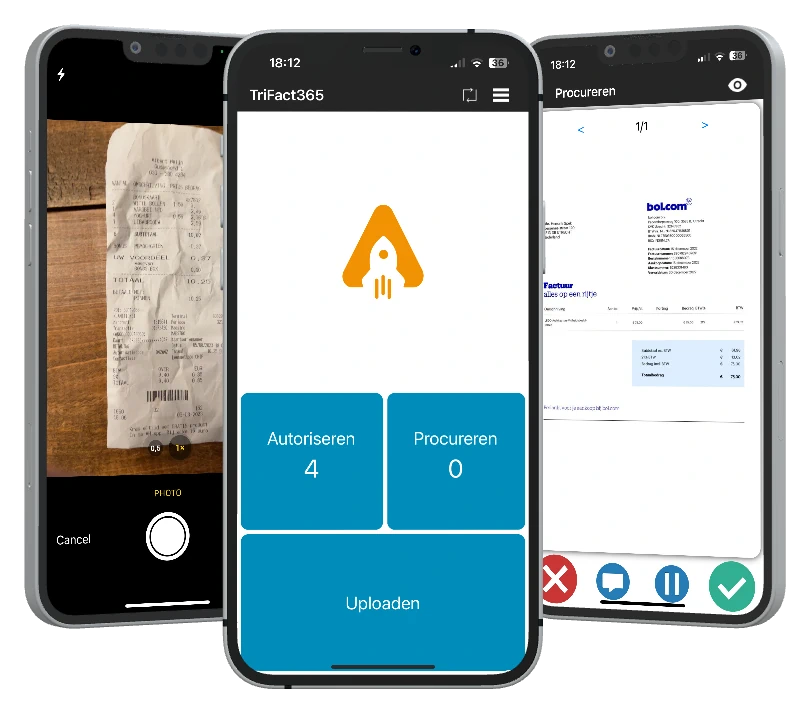
Submit by app, web or e-mail
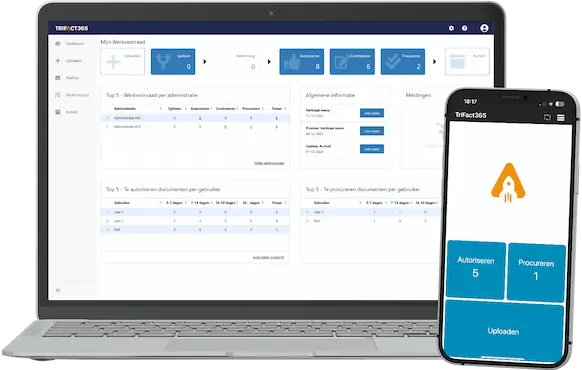
A receipt is easiest to handle at the moment your colleague gets it. Submitting works with the free app, through the web portal or by e-mail, whichever suits the person. As a result nobody keeps paper in a wallet until the end of the month.
- Free app for iOS and Android, one photo is enough
- E-mail and web portal as alternatives
- A booking proposal ready per claim
See how the mobile submission works in the app for receipts on the go.
Approval routes for every claim
You set the route once and every submitted claim goes to the right manager, who approves it in the app or the portal. Meanwhile everyone can see the status, so a colleague no longer has to ask whether a claim was received.
- Authorisation and procuration routes you configure yourself
- Approve from the app or the web portal
- The status of every claim visible in real time
Configure the routing in approval routes.
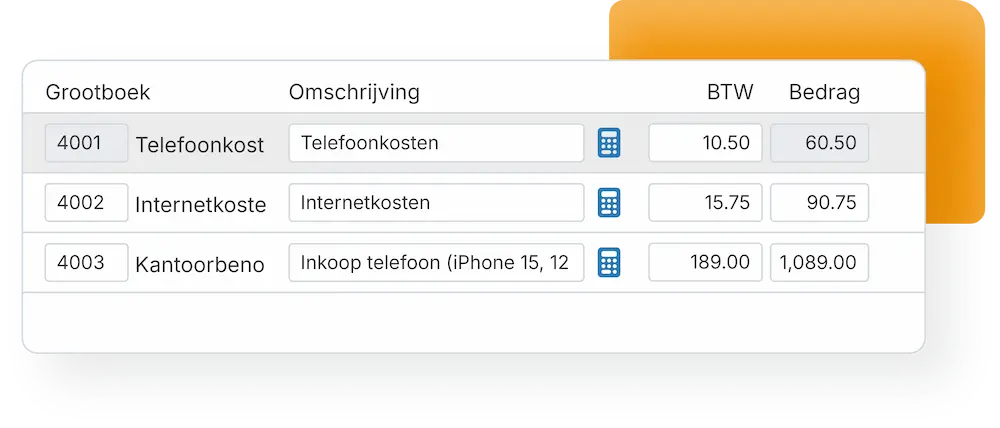
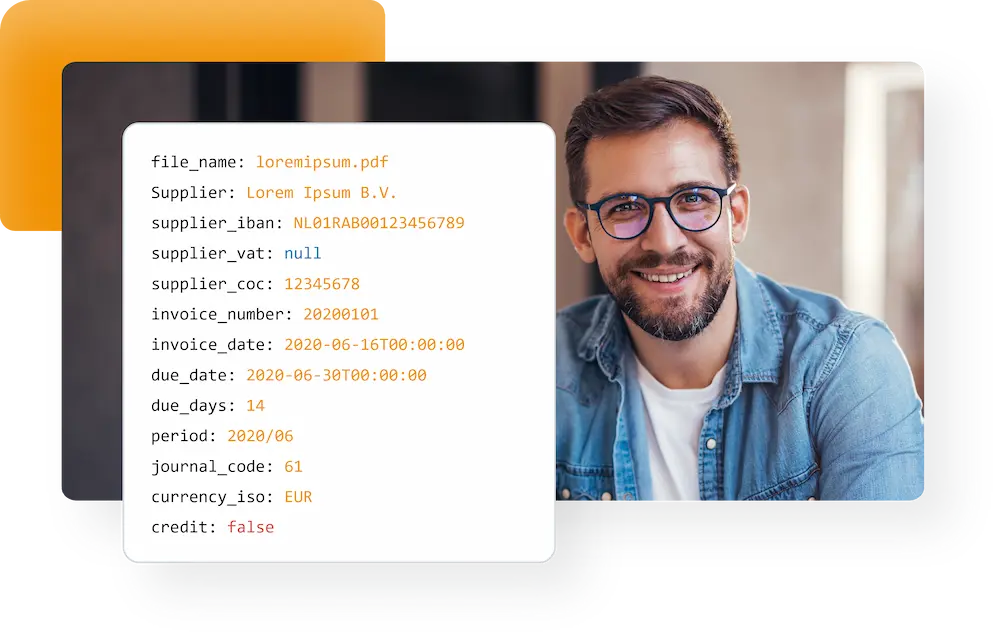
Claims, receipts and invoices on one platform
Claims rarely travel alone. Purchase and sales invoices run through the same platform and the same recognition, so your team learns one way of working instead of one per document type. Therefore your administration is complete rather than nearly complete.
- Claims, receipts, purchase and sales invoices on one platform
- Recognition down to line level, including VAT codes
- Connected to your accounting software from the start
Read how invoices are handled in the full processing flow.
A current set of books, fewer corrections
Because claims are processed and booked as they come in, your figures stay current instead of catching up at month end. As a result your bookkeeper or accountant spends less time on corrections and there is no hunt for missing receipts.
- Costs on the right ledger account and cost centre straight away
- Fewer corrections for your bookkeeper or accountant
- A searchable archive with an audit trail per claim
See which software connects to TriFact365, or follow the setup steps in our help centre.
Questions about expense management
No, and we would rather say so upfront. TriFact365 handles receipts and expense claims as documents: reading, checking, approving and booking, with an audit trail per claim. Mileage registration, corporate card feeds and policy checks belong with your HR or payroll system and are not part of TriFact365.
That depends on the route you choose. Handle claims in your payroll system and the amount appears on the next payslip. Through TriFact365 the claim runs via the accounts payable of your accounting software, so the payment is separate from the payroll run and the costs sit on the right ledger account and cost centre straight away. Have no payroll package, then that second route is the practical choice.
Yes. The free TriFact365 app runs on iOS and Android. Colleagues photograph a receipt and submit the claim in the same action, without needing an account in your accounting software.
With the workflows in TriFact365 you configure authorisation or procuration routes. Managers then approve the claims of their team members in the app or the web portal, and every approval is recorded in the audit trail.
TriFact365 needs a connection to accounting software to work. There are integrations for Exact Online, AFAS, Twinfield, SnelStart, King, AccountView and others, each keeping its own ledger accounts, cost centres and VAT settings.
Yes. TriFact365 processes claims under the GDPR and over secured connections. Every submitted receipt stays searchable in a digital archive with an audit trail, so each action on a claim remains traceable afterwards.
Yes. Besides claims and receipts you process purchase and sales invoices through the same platform, so your whole administration sits in one place.
You pay for what you use, without implementation costs, which keeps it affordable for smaller teams as well. You can start with a free 30-day trial.
See more solutions
Accounting robot
Your own accounting robot. Never retype invoices and receipts again.
Workflows
Create authorization flows for approving invoices.
Digital archive
Always have access to documents. Complete with history and audit trail.