Anyone who works with invoices on a daily basis knows how important overview is. Especially when you use multiple screens or need to check a lot of details, switching between fields and document can sometimes take unnecessary time. That’s why TriFact365 has implemented a handy improvement: showing a document in a separate window.
What does this position entail?
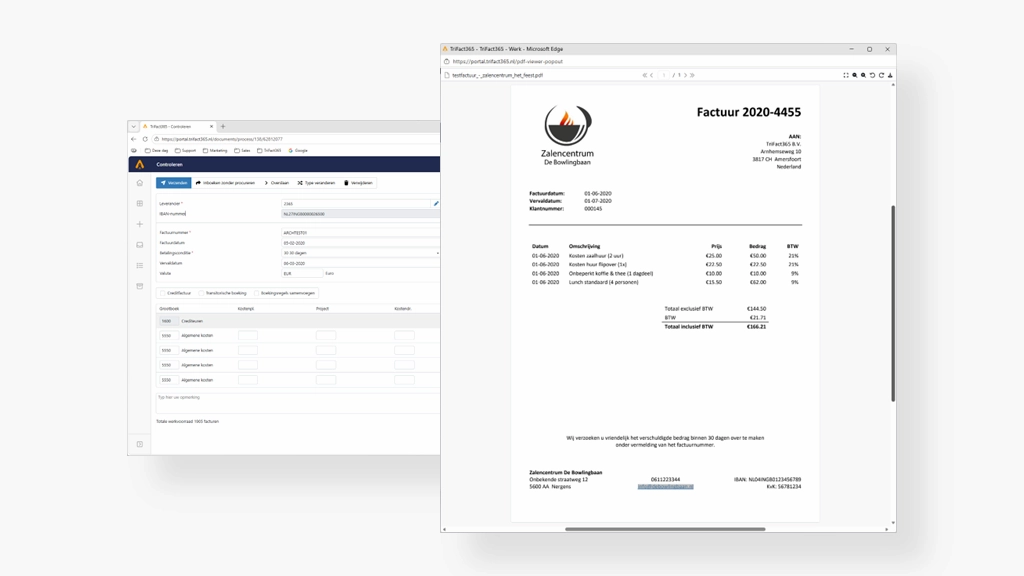
In the PDF viewer within TriFact365, an additional option has been added that allows you to open a document in a separate window. With one click, the invoice is detached from the booking screen and opens in a new browser window.
This means you can place the document on a second screen, for example, while continuing to work quietly in the booking, control or authorisation screen in the meantime.
Why is this so convenient?
In practice, this seemingly minor adjustment delivers a lot of benefits:
- More overview
You always see the full document, without reducing or overlapping the booking screen. - Ideal for working with two screens
Put the invoice on screen 2 and continue working on screen 1 in TriFact365. - More efficient checking and authorisation
Less clicking back and forth means more focus and speed. - Quieter working with complex invoices
Especially with long or detailed documents (multiple pages, attachments), this is a big improvement.
When do you use this feature?
The option is especially valuable in situations such as:
- Checking or authorising invoices
- Comparing billing data with contracts or agreements
- Transcribing or verifying detailed information
- Collaborate remotely, sharing information via screen sharing
This is how it works
The feature is easy to use:
- Open a document in the PDF viewer within TriFact365
- Click on the ‘Open in separate window’ icon
- The document immediately opens in a new window
- If necessary, move this window to another screen
No extra settings needed – it works immediately.
Small improvement, big effect
At TriFact365, ease of use is often in the details. Opening a document in a separate window is a perfect example. Not a complex new functionality, but a feature that makes daily work just that little bit more pleasant, clear and efficient.
Do you work a lot with invoices? Try this feature and experience the difference for yourself.