Switch to TriFact365
Switch to TriFact365.Your accounting software stays.
There is no need to set up your bookkeeping again. Connect TriFact365 to your own accounting software in a few minutes and start straight away with new documents.




Works alongside the top 10 accounting packages
TriFact365 is an official and/or certified API partner of every package it connects to. You set up the integration yourself in a few minutes.


Your bookkeeping stays as it is.Only the work before it gets lighter.
What stays
- Your accounting software, with your ledger, your reports and your payments.
- Your master data: suppliers, general ledger accounts and VAT codes come from your package.
- Your accountant works along, with their own user and their own rights.
What changes
- Submitting runs through your TriFact365 mailbox, Peppol and the app.
- Data entry becomes reviewing: the AI creates a booking proposal, you approve it.
- Approval runs through a workflow, if you want it to.
- Your archive is kept in TriFact365, even if you change packages later.
Switch to TriFact365 from the way you work now.Even from paper.
From scan and recognition in your package
Do you use scan and recognition in Exact Online, AFAS, Twinfield or other accounting software today? That package stays; TriFact365 takes over the processing before it, with more detail and less rework.
From e-mail, paper or retyping
Suppliers e-mail your TriFact365 mailbox, a bulk PDF of scanned accounting documents is split, and you review the proposal before it goes to your package.
From other pre-accounting software
Do you work with Basecone or another provider today? Your accounting software stays and you start with new documents in TriFact365. Plan the switch around open documents, workflows and users.
Connected today.Your first journal entries right away.

Connect your accounting software
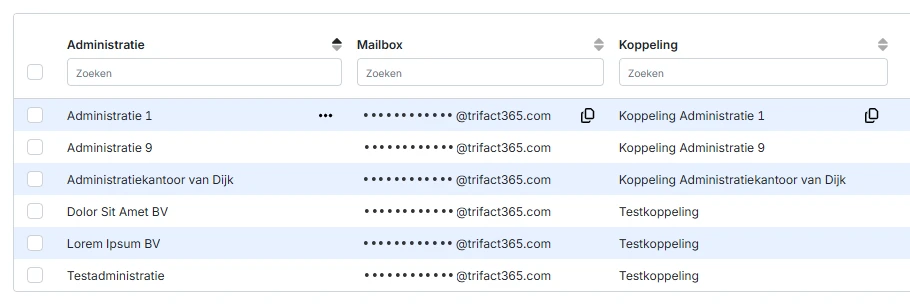
In a few minutes, as an official API partner. Your master data comes from your package.
Submit the way you want
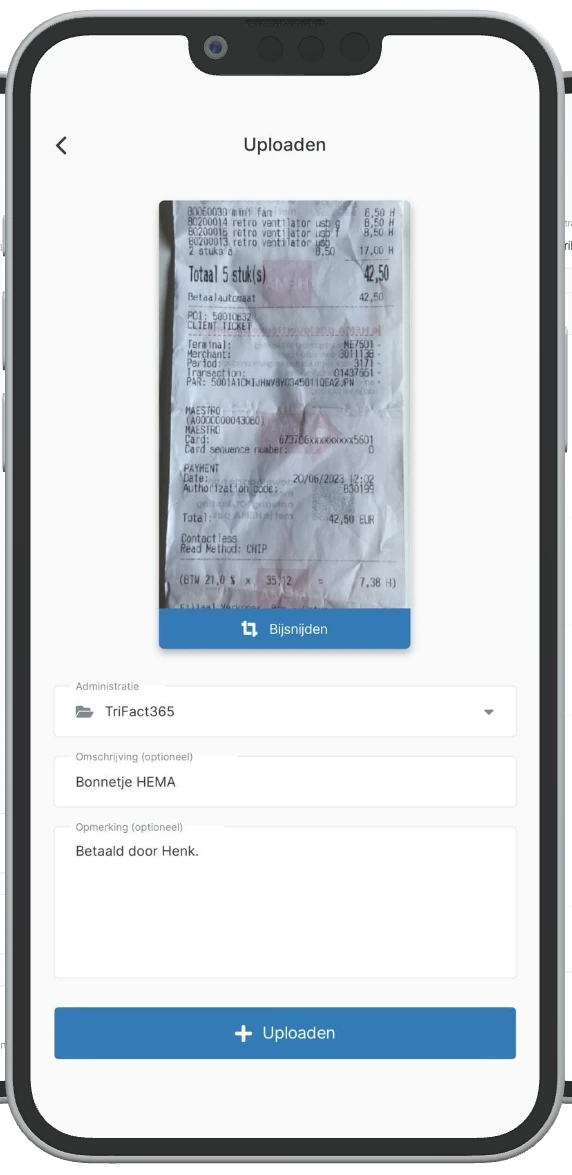
Through your TriFact365 mailbox, Peppol, upload in the portal or with the app.
Split
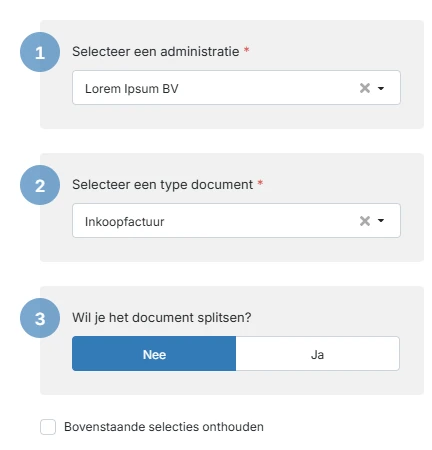
A bulk PDF of scanned accounting documents is split into separate documents.
Review the booking proposal
The AI fills in the invoice data and lines; you review with the PDF next to it.
Approve
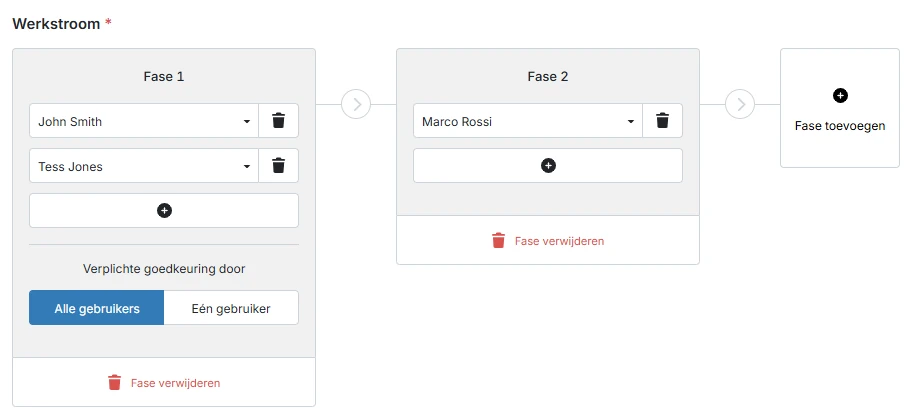
First authorise, then approve for payment, per administration.
In your package and your archive
After your approval the entry is in your package and the document in your archive.
Explained step by step, from connecting to your mailbox: the TriFact365 help centre.
You are not on your own. During your trial, a team member helps you set up in an onboarding session via Microsoft Teams. Not a customer yet? Book a 30-minute online demo, via Teams or we call you back.
“I find it a simple and user-friendly program. Even someone who is not very familiar with digitalisation can work with it well.”
Corrie Bessems · Bookkeeping team lead, Euregio HabetsRoyen (translated from Dutch) · Read the customer story
Switching sounds daunting.They will tell you otherwise.
Had to switch in the middle of preparing for the high season, and found in TriFact365 the most comparable solution, at a better price.
Changed the e-mail address clients send their invoices to, and gave clients a short guide. After that, all they had to do was e-mail their invoices.
Frequently asked questions about switching to TriFact365
Connecting to your accounting software takes a few minutes. TriFact365 then retrieves your master data and you process your first invoices straight away.
Your accounting software stays as it is: after your approval, the entry simply appears there. Documents in your current solution stay with that provider, because TriFact365 does not import historical data; you start with new documents.
Yes. In TriFact365 you start with the documents that come in from the moment you connect; the months before that stay in your current solution.
Yes. During your 30-day trial, a team member helps you in an onboarding session via Microsoft Teams. Customers can then book an advisory session with a specialist.
Your archive stays in TriFact365 as long as you do not delete it. You then add the administration again through the integration with your new package.
Yes. You work across all your client administrations from one overview, even when clients use different accounting packages.











Ready to switch?Your accounting software stays.
Connect TriFact365 in a few minutes and try it free for 30 days, with your own invoices. You get help with the setup in a personal onboarding session.