Invoice approval software with flexible workflows
With the invoice approval software in TriFact365 you approve invoices entirely digitally: set up flexible approval routes and let the right people sign off before payment. As a result no invoice sits waiting in someone’s inbox, and every approval stays traceable in the audit trail.

Link with all leading accounting software




What is invoice approval software?
Invoice approval software routes an invoice to the people who are authorised to check and approve it before it is paid. You decide who signs off, in which order, and whether that happens on arrival or after the entry has been prepared.
Not quite what you need? TriFact365 optimises your entire pre-accounting, up to and including the journal entries in your accounting software: the approval route and the record of who approved what sit here, and your accounting software does the payment run itself. For processing the invoice itself there is a separate page, and to see the purchasing chain from order to payment, look at procure to pay.
How does invoice approval software work?
An approval runs in four steps: setting up the route, routing, signing off and releasing for payment. You configure the first step once, after which the other three repeat for every invoice. Below you can read what happens at each step.
1. Setting up the route
You define who signs off and in which order, up to five stages, without an IT project. You also choose the moment: either of two directors may approve, or the department manager goes first and the director second. Purchase invoices, sales invoices and receipts can travel a route; other document types cannot.
2. Routing
As soon as an invoice arrives it goes to the colleague whose turn it is, in the portal or the mobile app. The approver sees the booking proposal with the document next to it, so nobody has to search a mailbox for the attachment.
3. Signing off
The approver approves, or rejects with a note in the comments field so the invoice travels back with a reason. If a stage sits still too long, TriFact365 sends the reminder instead of you, to the person whose turn it is.
4. Release for payment
Once the last stage is complete the invoice is released and the entry sits in your accounting software with the document attached. Your accounting software runs the payment itself; TriFact365 records who approved what and when.
Approval routes your way
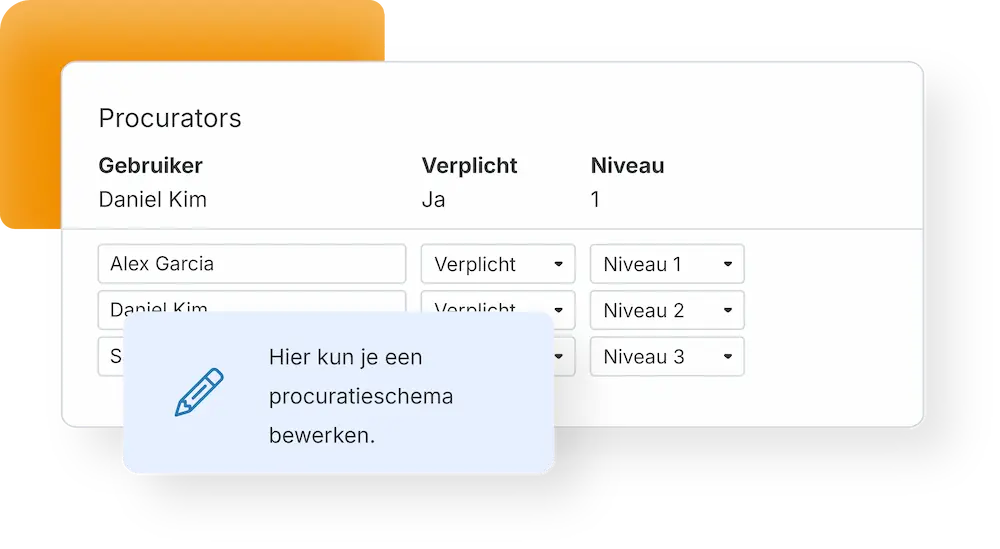
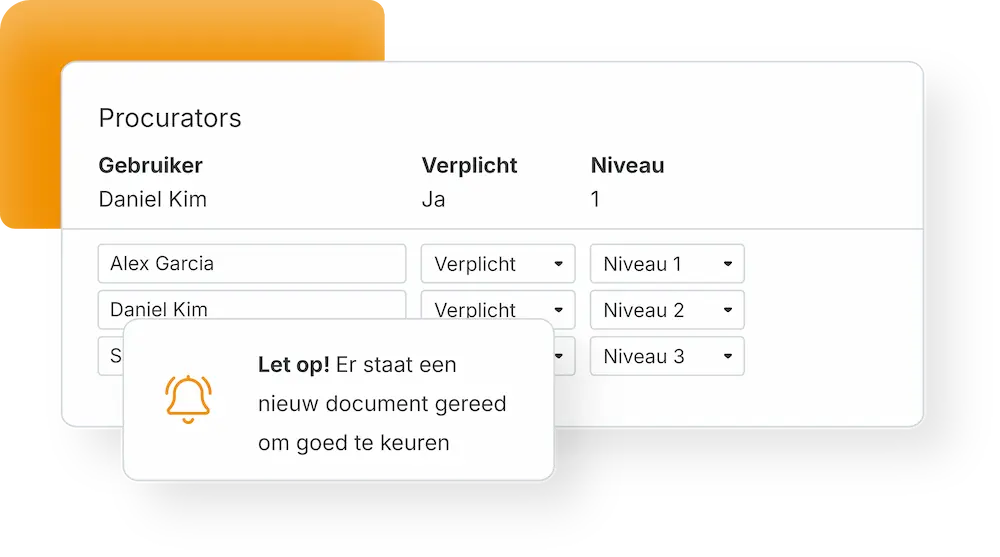
You build the route yourself, without involving IT. One organisation wants either of two directors to sign off, another wants the department manager first and the director after. A workflow holds up to five of those stages, which covers everything from a two-person business to a group with several entities.
- Configure workflows yourself, no IT project
- Up to five stages, in a fixed order or in parallel
- Approve in the portal or from the mobile app
See where approval fits into the full processing flow.
See every invoice awaiting approval
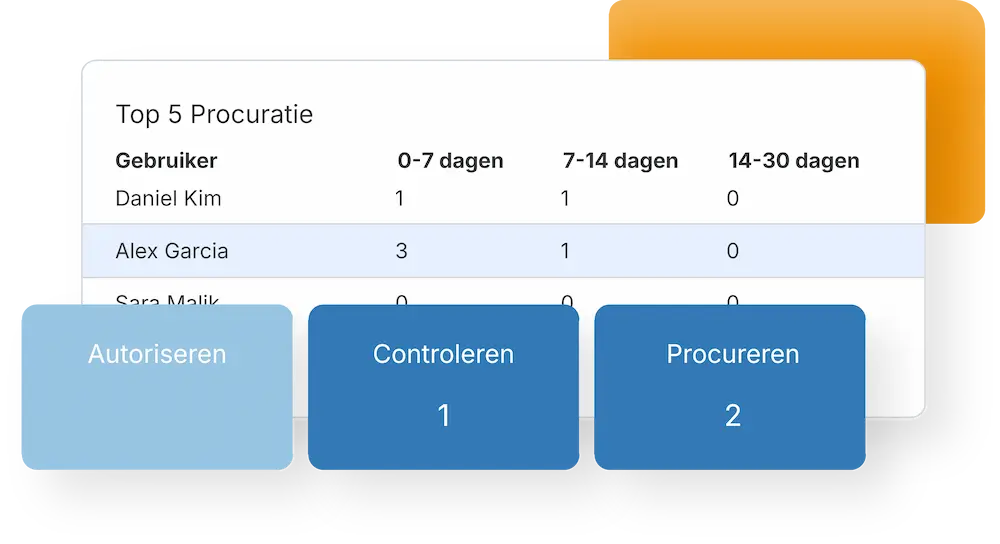
Invoices that wait for a signature are the ones that turn into late payments and reminder fees. One overview shows what is outstanding, with whom, and for how long. Therefore you can chase the exception instead of the whole list.
- One overview of everything still open
- Analyse where the delay sits
- Handle exceptions without spreadsheets
Read how invoices arrive and are read in how documents are scanned.
Reminders that do the chasing
Nobody enjoys asking a colleague for the fourth time. TriFact365 sends the reminder instead, to the person whose turn it is. Meanwhile the finance team keeps a current administration, which means fewer suspense postings and fewer questions when the period is closed.
- Automatic e-mail reminders per approver
- An audit trail of who approved what and when
- Invoices paid on time, without chasing
Approved documents stay retrievable in audit-proof storage, and receipts and expenses follow the same routes. Setting up a workflow is explained in our help centre.
Questions about invoice approval
It takes over the approval step of the pre-accounting stage: routing each invoice to the right people, chasing them automatically and recording who signed off when. Your accounting software handles the payment run. Because the whole route is logged in an audit trail, you can demonstrate how an invoice was cleared, which means fewer suspense postings at period close.
With authorisation the workflow starts the moment the invoice arrives. With procuration it starts only after the entry has been sent to your accounting software. That way you choose whether approval happens before or after booking, depending on how your finance team works.
Yes. You can require either of two directors to sign off, or set a fixed sequence such as the department manager first and the director second. A workflow holds up to five of those stages.
Yes. By default an invoice reaches your accounting software once it has been approved. Alternatively you book it beforehand, blocked for payment, and release it as soon as the workflow is complete. That option works with AccountView, AFAS, Exact Online, Twinfield and Boekhoud Gemak, among others.
Yes. You post the entries in your bookkeeping straight away, separately from the approval. That way you close the books on time, and the invoice is released for payment once the workflow has run its course.
Only the approvers in that route and users whose rights allow it, because you set permissions per user. TriFact365 processes the documents under the GDPR and over secured connections, so an approver sees what is needed for the decision and nothing more.
Within fifteen minutes. You connect your accounting software, add the colleagues who approve and define the stages. No installation and no consultants are needed, and you can change the route whenever your organisation changes.
See more solutions
Accounting robot
Your own accounting robot. Never retype invoices and receipts again.
Workflows
Create authorization flows for approving invoices.
Digital archive
Always have access to documents. Complete with history and audit trail.