Invoice automation software for every purchase and sales invoice
TriFact365 is invoice automation software that takes every purchase and sales invoice from arrival to a checked booking proposal. AI and line-level recognition read the document in seconds, you approve it, and only then does the entry move into your accounting software. In short, as invoice processing software it covers the pre-accounting stage, so your administration stays current without anyone retyping a single field.

Link with all leading accounting software
What is invoice automation software?
Invoice automation software covers the whole route a purchase or sales invoice travels: from arrival and recognition through checking, approval, booking and archiving. It automates those steps for scanned documents and for e-invoices that arrive through UBL and Peppol.
Not quite what you need? TriFact365 optimises your entire pre-accounting, up to and including the journal entries in your accounting software: every invoice becomes a booking proposal that reaches your accounting software only after your visual final check. If you only want the invoice data to be read automatically, that is invoice recognition. And to have invoices signed off before payment, look at approval routes.
How does invoice processing software work, from arrival to archive?
Invoice processing runs in five steps: delivery, coding, approval, booking and archiving. The software handles the first two, while you keep the decision in the third and the fourth. Below you can read what TriFact365 does at each step and where your accounting software takes over.
1. Delivery
Invoices come in through your own invoice mailbox, an upload in the portal, the mobile app or as an e-invoice through Peppol. Whatever the channel, everything ends up in the same work queue. What exactly is read from a document is explained on the page about scanning and recognition.
2. Coding
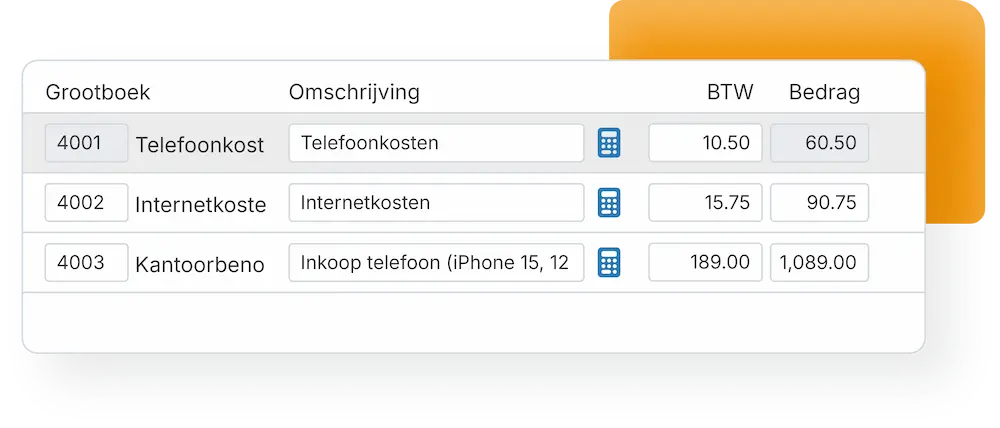
Coding is where the booking proposal is built. For every invoice line you get a suggestion for the ledger account, the VAT code and the cost centre, completed with the supplier details from your administration. If one invoice carries several VAT rates or cost centres, the proposal splits along with it.
3. Approval
Purchase invoices, sales invoices and receipts can travel an approval route first. The approver sees the booking proposal with the document next to it and signs off, or rejects it with a note in the comments field. Chasing an approval by email is therefore no longer necessary.
4. Booking
As soon as you approve, the journal entry moves through the integration into your accounting software, with the original document attached. From that moment your accounting software takes over: reporting, the VAT return and payment. TriFact365 covers the road up to and including the journal entry.
5. Archiving
The document stays searchable next to the entry, so during an audit you find the original straight away and you meet your retention obligation. You give your accountant access to that archive as an extra user, without them having to work in your accounting software.
Read in seconds, down to the line
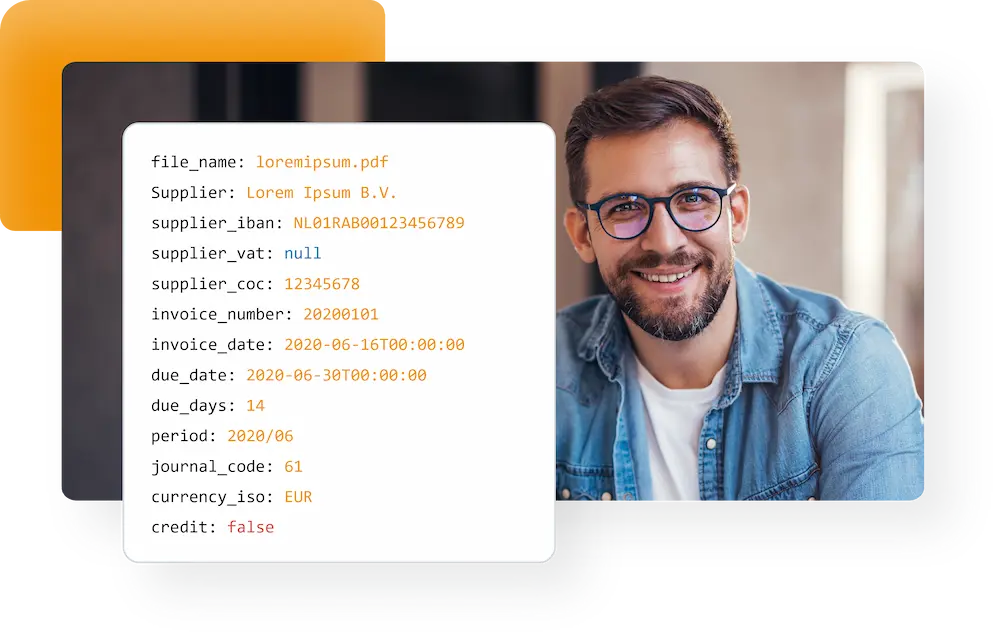
Because the engine is self-learning, recognition gets sharper with every invoice a supplier sends. Header data and order lines are extracted together, so a multi-line invoice needs one look instead of ten keystrokes.
- Supplier, amounts, VAT and dates recognised automatically
- Real-time recognition at line level
- Duplicate invoices filtered out before you book
Curious how the recognition itself works? Read about our line-level recognition.
Approval before anything is booked
Invoices no longer travel the office for a signature. You set the route once, and the software sends each invoice to the right colleague through the portal or the mobile app. Meanwhile management sees the status of every open invoice, so nothing sits waiting unnoticed.
- Approval by portal or mobile app
- Real-time status of every invoice in the flow
- Rights per user, so people see what they should
Set the routing up in approval routes, and keep every original retrievable in audit-proof storage.
Fewer errors, more control
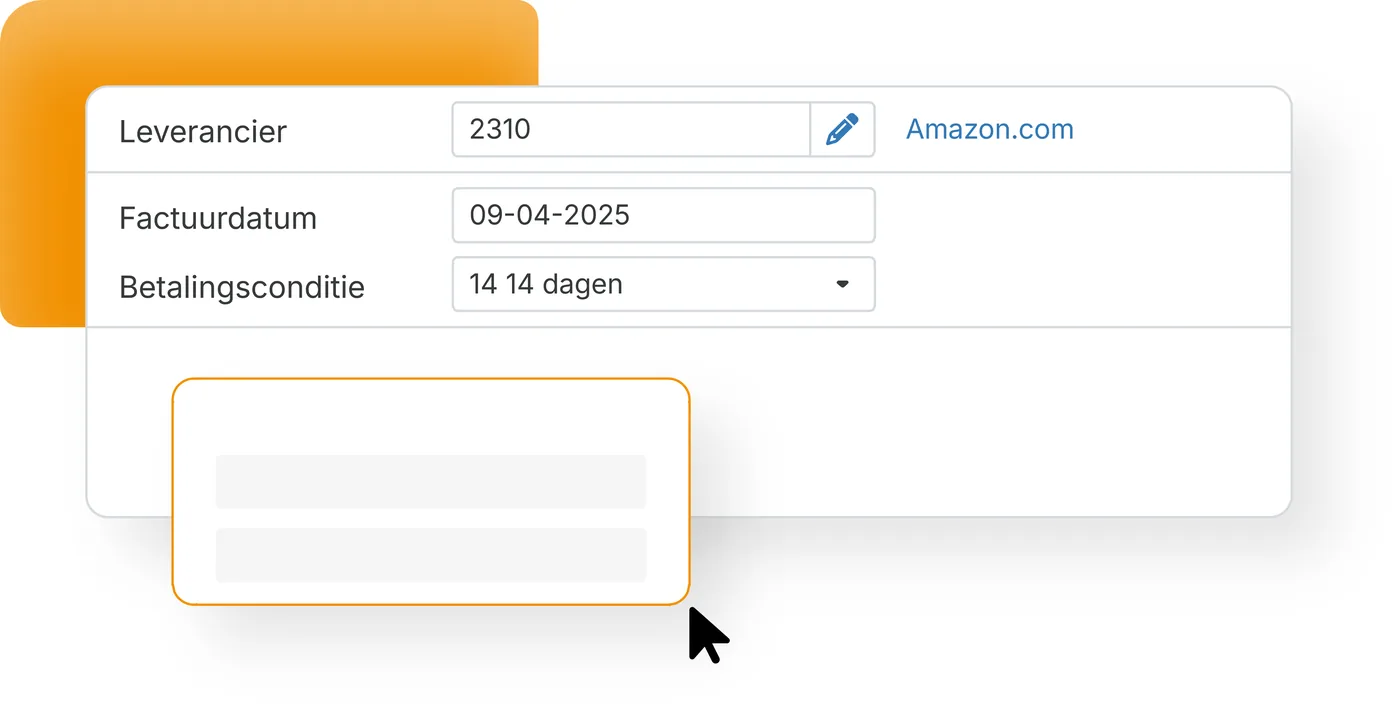
Recognised data is checked against what is already in your administration. For example, duplicate invoices are filtered out and the IBAN is shown for a quick visual check before payment. Therefore fewer corrections reach your accountant, and your VAT return rests on cleaner figures.
- Automatic duplicate detection
- IBAN and supplier data verified at a glance
- Audit trail on every action
Purchase invoices are only part of the picture: receipts and expense claims arrive the same way, and the single intake point handles every other business document. See which accounting software connects to TriFact365, or follow the setup steps in our help centre.
Questions about invoice automation
It takes over the pre-accounting stage: collecting the invoice, reading it down to line level, checking it and routing it for approval, all before an entry exists. Your accounting software then handles the reporting. Because every step is captured in an audit trail, you can trace where an invoice came from and who approved it, which means fewer suspense postings and fewer questions at period close.
Yes, but never unchecked. TriFact365 first prepares a booking proposal in its own portal, with the supplier, amounts, VAT and ledger accounts filled in. After your visual final check the entry is posted into your accounting software, with the document attached to it.
Yes. Besides purchase invoices you can process sales invoices, receipts and expense claims through the same portal. Each one is recognised in real time and arrives as a booking proposal, so the whole intake follows one route instead of three.
TriFact365 needs a connection to accounting software to work. There are integrations for Exact Online, AFAS, Twinfield, SnelStart, King, AccountView and others, each keeping its own ledger accounts and VAT settings.
Yes. One subscription covers multiple administrations, which fits a holding with a few operating companies as well as a firm with many clients. Accountants and bookkeeping firms can also combine different accounting software integrations, so invoices for a client on Exact Online and one on AFAS follow the same uniform process.
They arrive with structured data, so the characters no longer have to be read. TriFact365 still does the part that decides the entry: it recognises the invoice lines, maps them to the right ledger accounts and VAT codes and splits the sub-amounts. You therefore get a complete booking proposal instead of a raw data file, with the PDF attached as the readable document.
Yes. TriFact365 processes your invoices under the GDPR and over secured connections. Documents stay searchable in a digital archive with an audit trail, so every action on an invoice remains traceable afterwards.
Most companies are live within fifteen minutes. You connect your accounting software, point your invoice mailbox at TriFact365 and the first invoices are recognised straight away. No consultants and no installation are needed.
See more solutions
Accounting robot
Your own accounting robot. Never retype invoices and receipts again.
Workflows
Create authorization flows for approving invoices.
Digital archive
Always have access to documents. Complete with history and audit trail.